How to set up Step-by-step software setup instructions

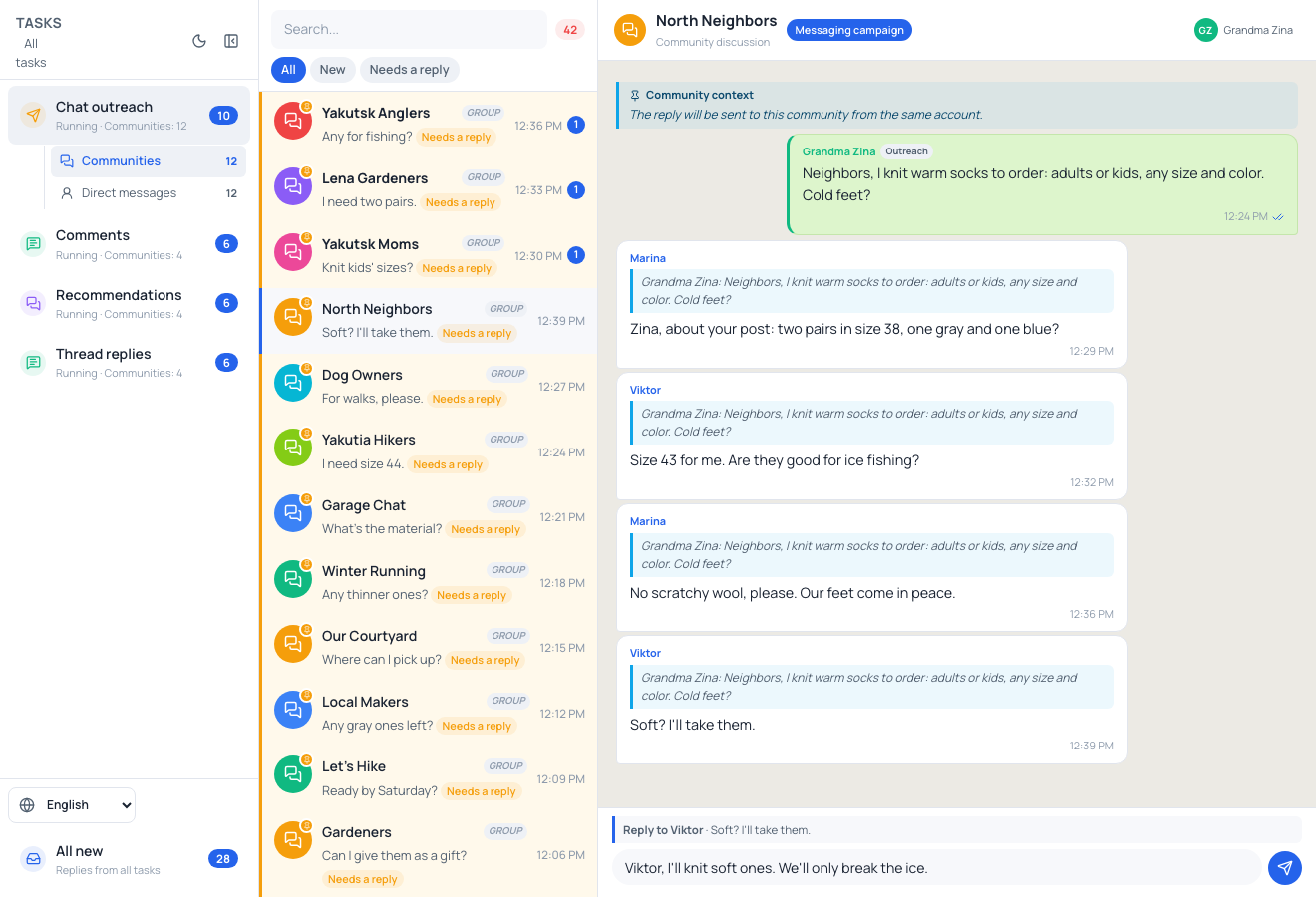
Dialogue panel

Chats and direct inquiries —
organized by task.

Venues

100%
Full panel: four tasks, “Chat broadcasts” selected, “Venues” folder, 12 chats. In “Northern Neighbors”, Granny Zina offers warm socks. Marina and Viktor reply specifically to her broadcast. Viktor's message “Soft? Then I'll take them.” is selected. Draft: “Viktor, I'll make them soft. The only thing we'll be chipping is ice.”

People's replies to your messages in chats.

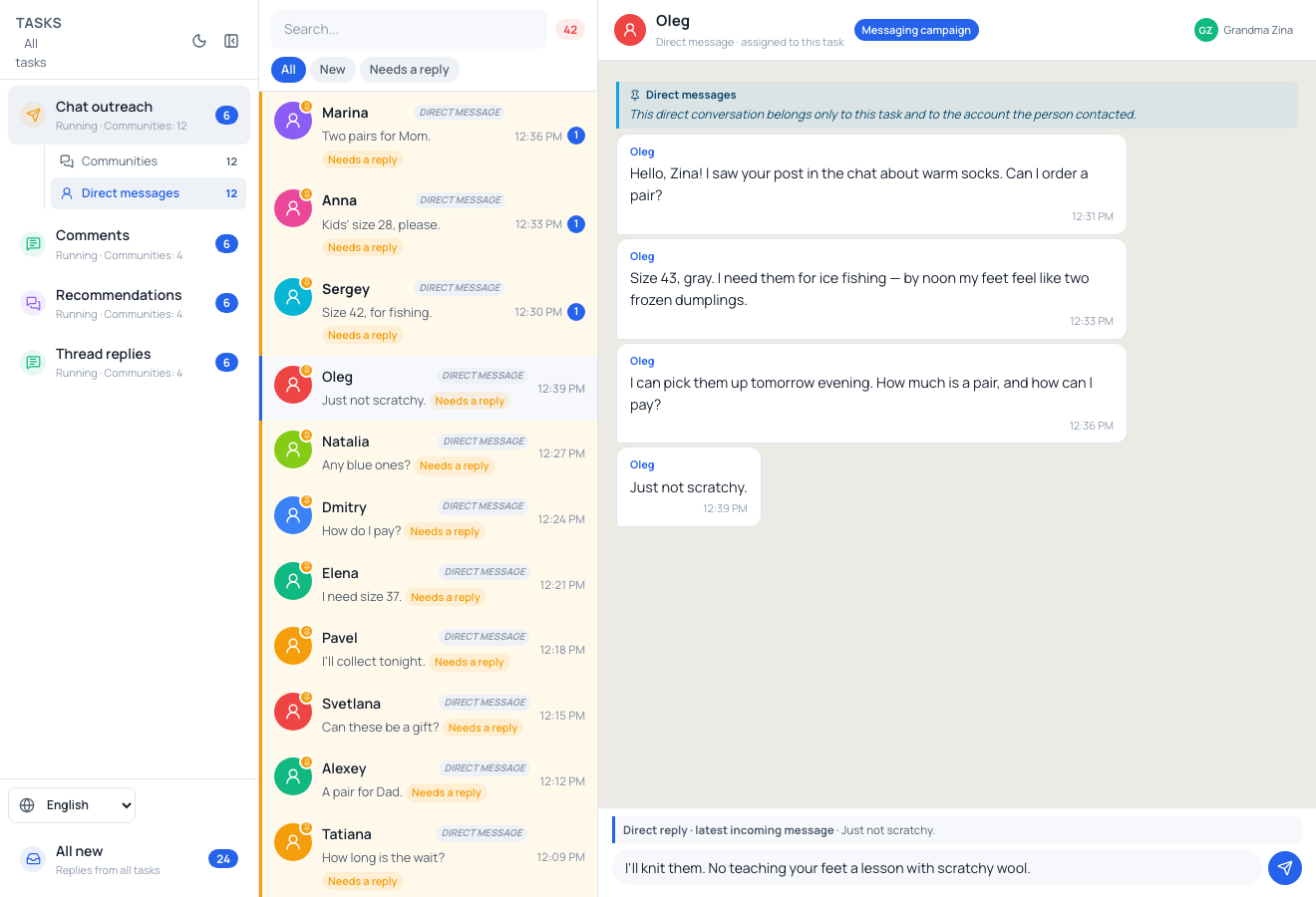
Direct messages

100%
Full panel: the same four tasks, “Chat broadcasts” selected, “Direct messages” folder, a list of 12 people. Oleg messages Granny Zina first after seeing her message in a chat. He wants gray size 43 socks for fishing: his feet feel like two dumplings from the freezer. He asks about price and payment. “Just not itchy.” Draft: “I'll knit them. We won't be disciplining your feet with scratchy wool.”

People who messaged first.

Receiving direct messages is set up and enabled.
The task is running or paused.

Reply from the same account.

The text in the input fields is a draft.

Contents